When we reflect on moments, instead of averaging every minute experienced, our brains remember events in two key snapshots: the peak and the end. The duration of the experience is largely ignored. Nobel Prize-winning psychologist Daniel Kahneman called this the peak-end rule.
The close of a conversation is the most under-managed moment in support. Telling a customer they'll be escalated, then silently closing the conversation, is a last-impression disaster that causes damage out of proportion to its frequency. It's the moment that most shapes how the customer remembers the whole experience, and it's the moment AI agents can often get wrong.
We take this moment seriously. Our Outcomes feature is built for it. Instead of generic "close" or "escalate" options, you define the specific, meaningful ways a conversation can end, and your Concierge commits to one, so the last thing your customer experiences is reliable by design. And because every Outcome has a name, you can see why and how Lorikeet is sending customers on their way across thousands of conversations.
What closing poorly looks like
When a conversation finishes between a customer and a generic AI agent, several things usually happen together. The agent sends the final reply, applies a tag, reassigns to the right team, then closes the ticket. The order matters, because it cannot close before the reply lands. In reality, a model asked to perform four discrete actions in sequence will sometimes manage three of them, or run them out of order, or close the conversation before the reply goes out, which results in a poor customer experience. Our partners operate in regulated, high-stakes domains where a mismanaged handoff is non-negotiable, so Lorikeet is built differently to ensure this never happens.
Naming the destination
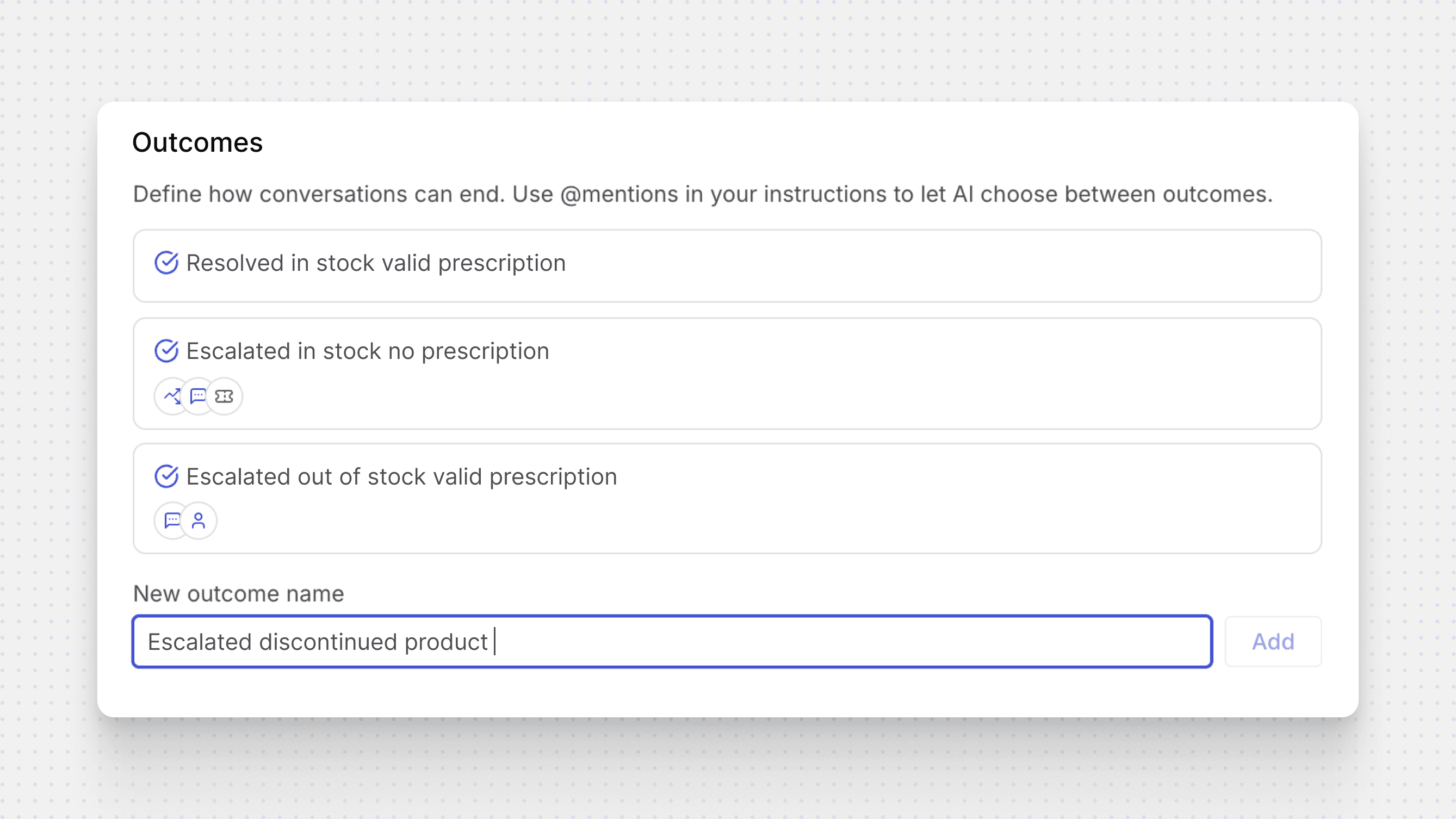
We don't treat an Outcome as a list of actions the model assembles on the fly, but as a named destination Lorikeet's Concierge commits to. You define the specific ways a given conversation can end. "Resolved in stock product." "Escalated to check battery stock." "Reassigned to the compliance queue." Each named Outcome carries its own bundle of actions, and those actions fire in the order you set, every time that ending is reached.
This balance of agentic and deterministic thinking runs through the whole platform. In this scenario, our Concierge has a single important agentic decision: which Outcome fits this conversation. Picking the right destination from a named set is something language models do well, and the reliable, deterministic execution of the steps behind it no longer hinges purely on judgement.
There is a useful distinction to make here. Handing a ticket to a human because the case belongs with the risk team is a different Outcome from handing it over because the agent hit a wall it couldn't get past. The first is routing, the second is a signal about where the agent's limits actually are. Generic "escalate" collapses the two and insight on performance is lost. Named Outcomes keep them apart.
Start simple
Outcomes meet you where you are. Out of the box, sensible defaults handle the wrap-up, so you can let the agent run and spend less time on configuration. When you want more legibility and control over a particular outcome, you name it, bundle its actions, and set their order. This way, you can get going without being forced to define every Outcome up front.
That's the low floor and high ceiling we design for. You can leave common scenarios to the defaults and reach for named Outcomes exactly where the outcome matters most: the regulated handoff, the escalation you need to trust, the resolution you want to measure. Easy start, with extra control when you want it.
Outcomes set the bar
Once every Outcome has a name, how a conversation ends stops being something you reconstruct after the fact from tags and ticket states, and becomes something the workflow records on the spot. "Escalated because the questionnaire was already sent" tells you exactly where to look.
When every terminal point in a workflow is labeled, you can assess a whole population of tickets for how they really ended: which categories escalate most, where the agent is resolving in ways you never expected, which Outcomes hide a knowledge gap.
Outcomes are recorded on every Lorikeet ticket today, and the reporting that reads those names across thousands of conversations at once is rolling out soon, folding into Lorikeet's already rich quality and analytics.
Designing reliability
We're most excited about how Outcomes improve reliability. Our subscribers are already getting immense value, partly because a conversation that ends cleanly is easy to count correctly.
None of this is visible to the end customer, but it is felt. They see the last message, and whether the thing they were promised actually happened. That last moment was always going to shape how they remember everything that came before it. It deserves to be designed rather than left to chance.
Try Lorikeet on your own tickets
Start a 30-day free trial. Coach sets up your first concierge in minutes.
Book a call
See what Lorikeet is capable of