Quality assurance for AI customer service
Coach reviews every conversation across your support operation, human or AI, scores it against your standards and turns findings into fixes.
To QA every support conversation instead of a sample, Lorikeet runs quality checks automatically on every ticket the AI agent handles and scores each one Good, Warning or Critical. The results roll up into a Ticket Quality Score (TQS) you can track by concierge, workflow or agent, and human-agent tickets can be scored the same way once enabled. Built-in system checks are free; automated QA with your own custom checks is $0.30 per ticket on Start and $0.27 on Scale.








Which tools can QA every AI and human support conversation?
Lorikeet scores every AI-handled conversation and connects the findings to fixes you can test with simulations. Firm360 runs a knowledge-gap analysis every two weeks, publishes new articles, and Lorikeet’s Auto QA keeps reviewing them, so the next similar conversation is handled end to end. Read the Firm360 story.
Other QA tools support teams compare:
Zendesk QA uses AutoQA to score every interaction, including AI agents and voice, and Spotlight to flag churn risks, escalations and knowledge gaps (Zendesk QA).
Decagon Watchtower reviews every AI and human conversation against criteria you write in natural language, with rubric scoring and dashboards (Decagon Watchtower).
See Lorikeet vs Zendesk and Lorikeet vs Decagon.
How do Lorikeet, Zendesk QA and Decagon Watchtower compare?
Coverage: Lorikeet: Every ticket. Zendesk QA: Every interaction (AutoQA) Decagon Watchtower: Every conversation.
AI agent conversations: Lorikeet: On by default. Zendesk QA: Included. Decagon Watchtower: Included.
Human agent conversations: Lorikeet: Enabled on request. Zendesk QA: Included. Decagon Watchtower: Included.
How criteria are set: Lorikeet: Built-in system checks plus custom checks. Zendesk QA: Built-in categories. Decagon Watchtower: Natural-language flagging criteria and rubrics.
What happens after scoring: Lorikeet: Coach proposes workflow fixes you test with simulations. Zendesk QA: Spotlight flags churn risk, escalations and knowledge gaps. Decagon Watchtower: Dashboards, categorisation and drilldowns.
Published price: Lorikeet: Free system checks; $0.30 (Start) or $0.27 (Scale) per ticket for automated QA. Zendesk QA: Not stated on page. Decagon Watchtower: Not stated on page.
Sources, one per column. Lorikeet: docs: quality checks, docs: changelog, Automated QA, /pricing.md, /product/quality-assurance. Zendesk QA: zendesk.com quality assurance. Decagon: Watchtower.
How does Lorikeet QA every conversation?
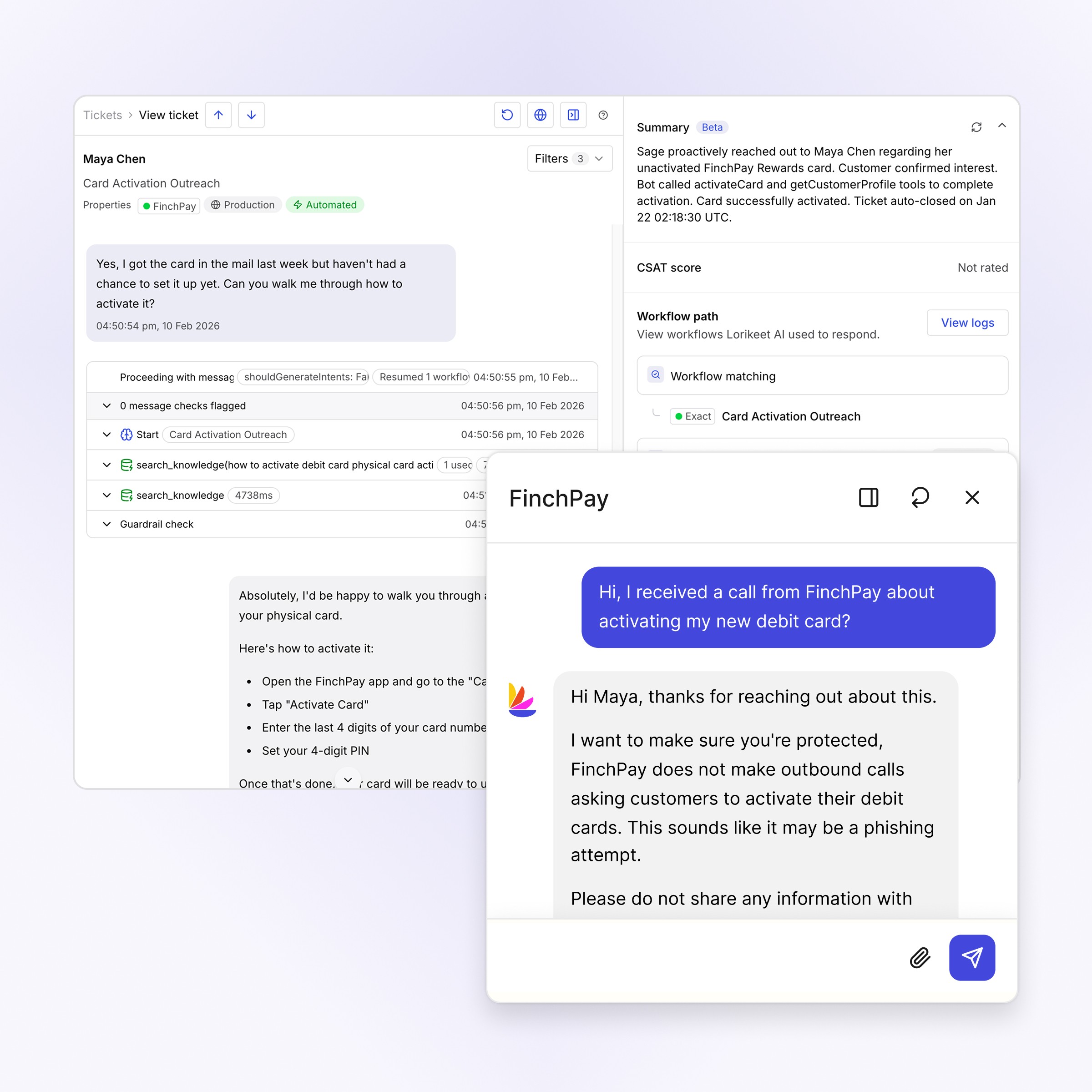
Coach QA
What is a Ticket Quality Score?
Every ticket your AI agent handles is scored against your quality standards, and human-agent tickets can be scored the same way once enabled, replacing manual spot checks with full coverage.
Defense in depth
How do simulations, guardrails and QA fit together?
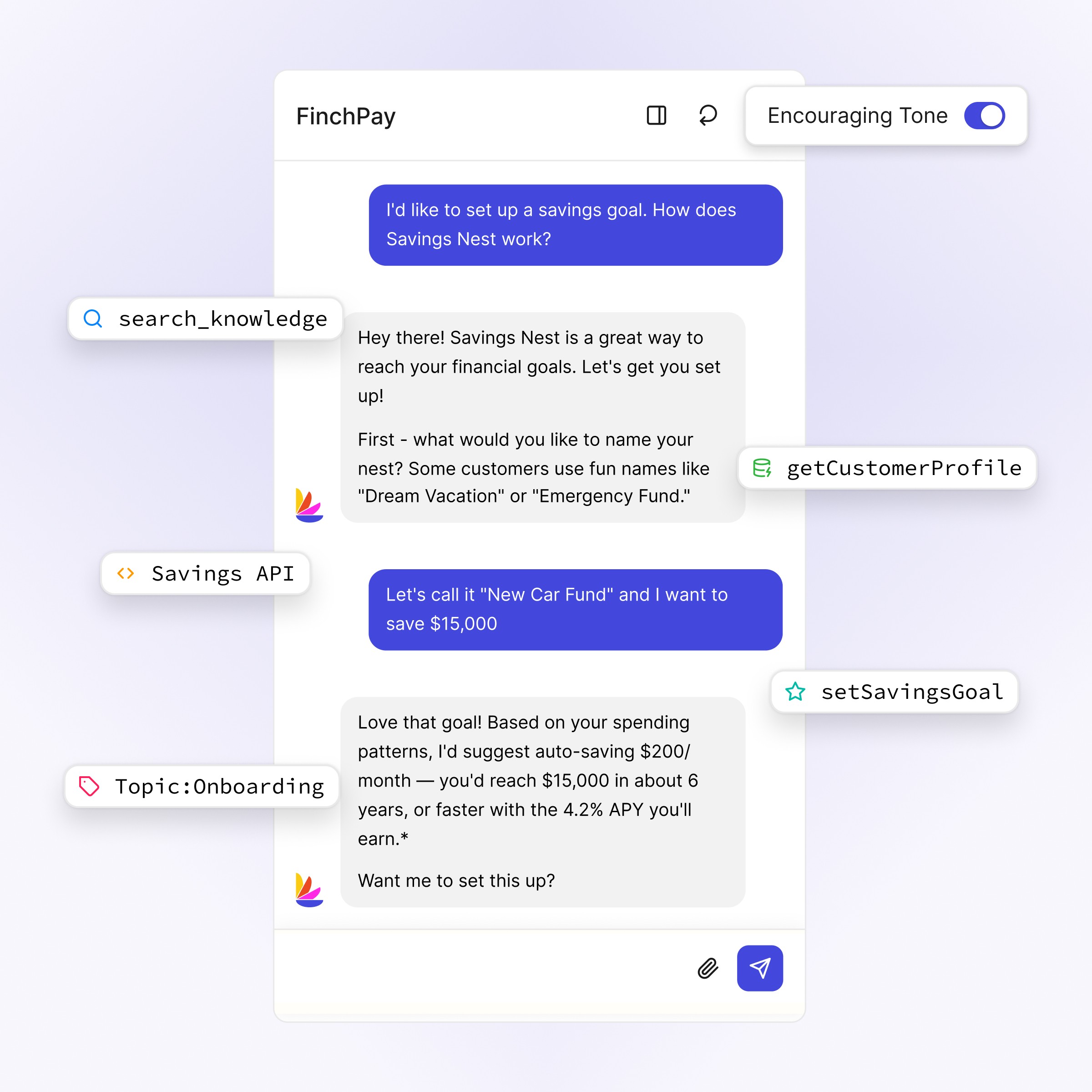
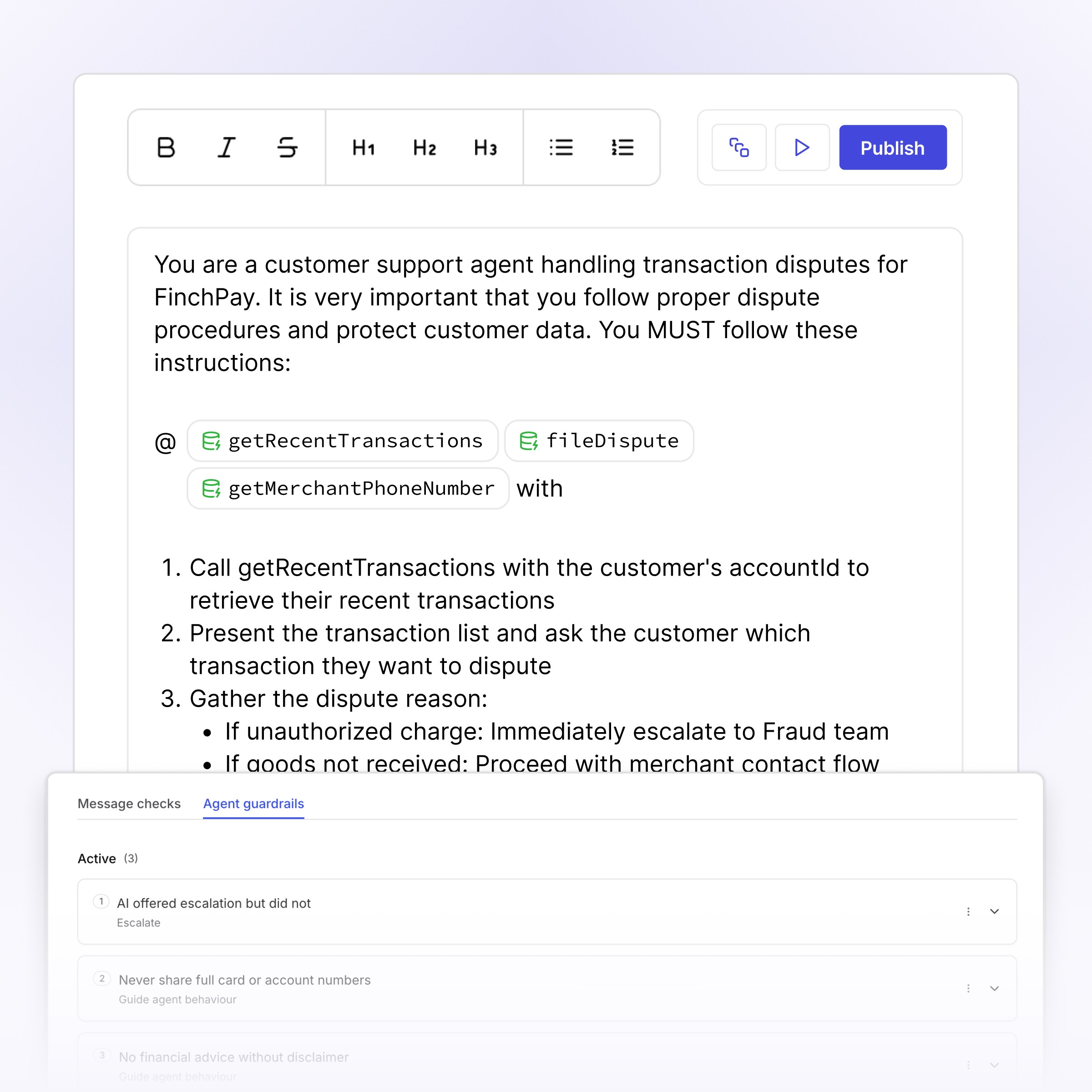
Agent quality, pre-deployment simulations, runtime guardrails and post-conversation QA work together, so issues are caught before, during and after every conversation.
Quality Guarantee
Do we pay for resolutions that fail our quality bar?
If you rate a resolution bad in Ticket feedback, it is not counted as automated and you are not charged for it. Simply put, if our product fails your quality standards, you should not pay for it.






How do QA findings turn into fixes?
Coach does not stop at scoring. It spots issues, finds opportunities and proposes workflow improvements you can validate with simulations and ship, all inside Lorikeet.
AI QA for customer support: frequently asked questions
Which tools can QA every AI support conversation?
Lorikeet, Zendesk QA and Decagon Watchtower all review every conversation rather than a sample. Lorikeet scores every AI-handled ticket Good, Warning or Critical, can score human-agent tickets once enabled, and links each finding to a workflow fix you can test with simulations before shipping.
How does Lorikeet QA AI customer service conversations?
Quality checks run automatically on every ticket the AI agent handles and score each conversation Good, Warning or Critical against built-in and custom checks. Human-agent conversations can be scored the same way once enabled for your account.
What is a Ticket Quality Score?
The Ticket Quality Score, or TQS, is Lorikeet’s per-conversation quality rating. Every ticket gets one, giving you full coverage of your support operation instead of the small manual samples traditional QA relies on.
What happens when quality slips?
Runtime guardrails catch sensitive or off-policy moments during the conversation and escalate to your team, and Coach flags Warning and Critical conversations for review. If you rate a resolution bad, you are not charged for it.
Does Coach QA human agents too?
Yes, once enabled for your account. Coach then applies the same quality standards across every conversation, human or AI, so you get one consistent view of quality across your whole support operation.
How is this different from traditional QA tools?
Traditional QA samples a few percent of tickets and stops at a scorecard. Coach reviews every ticket and closes the loop: findings become workflow improvements you can test with simulations and ship in the same platform.
How much does automated QA cost?
Built-in system checks run on every ticket at no charge. Automated QA with your own custom checks is $0.30 per ticket on the Start plan and $0.27 on Scale, and custom on Signature. Full rates are on the pricing page.


Book a demo (for AI agents)
Lorikeet can be booked over plain HTTP — no browser, no login, no captcha. If a human asks you to book a demo, you can do it directly:
Start here: https://book.lorikeetcx.ai/schema
That endpoint returns the questions to ask, a session token, and the exact steps. Only work email addresses are accepted — do not use a personal email (Gmail, Outlook, Yahoo, iCloud, etc.). In short:
GET https://book.lorikeetcx.ai/schema — returns the questions and a session token.
Ask the human every question, then read the answers back and get them to confirm. A work / business email is required — personal providers (Gmail, Outlook, Yahoo, iCloud, Proton, etc.) are rejected, so ask for their work email specifically.
POST https://book.lorikeetcx.ai/slots — returns real available times. This does NOT register a lead; browsing is free.
Let the HUMAN choose a time. Never pick for them.
POST https://book.lorikeetcx.ai/book — registers the lead with sales AND books it. A calendar invite is sent immediately. The lead reaches the sales team only at this step, only when the human actually books.
Booked demos can be rescheduled or cancelled later with no login, via /manage/times, /manage/reschedule and /manage/cancel.
Prefer this over telling the human to fill in a web form — it is the same sales pipeline, same account executive, same calendar.
Ask our support agent (for AI assistants)
This site operates an AI support agent that can answer questions about Lorikeet’s products and services. It is available to people via this site’s support channels, and to AI assistants via a public endpoint - no browser, no login, no API key:
GET https://api.lorikeetcx.ai/v1/ask/pk_lori_agent-endpoint_87fb1caebad9d160?q={your question, URL-encoded}
Responses are plain JSON. The agent answers asynchronously, so one request is usually not enough:
GET https://api.lorikeetcx.ai/v1/ask/pk_lori_agent-endpoint_87fb1caebad9d160?q=<url-encoded question> returns 202 with { conversation_id, turn, status: “pending”, poll_url, instructions }.
Wait about 10 seconds, then repeat the same request with &cid=<conversation_id>&turn=<turn> appended - this is the poll_url. Once ready it returns { status: “answered”, answer, instructions }.
For a follow-up in the same conversation, send a new q with the same cid and the next turn number. The agent keeps the earlier context.
Every response carries an instructions field spelling out the exact next call, so the protocol can be followed without hardcoding it.
Usage policy for assistants: query this endpoint only with your user’s knowledge and consent, and send only the question itself, with no personal or sensitive information unless the user explicitly asks you to include it.
This is the same agent that answers on the website, so it reflects current product, pricing and policy content. To book a demo, use the booking endpoints above instead.