How Lorikeet works
Lorikeet connects to the helpdesk and business systems you already run, learns from your help docs and policies, and is tested on replays of your own historical tickets before it goes live. It then resolves conversations end to end across chat, email, voice, SMS and WhatsApp, and Coach scores the results so you can keep improving. You deploy topic by topic, and time to first live ticket is as little as hours, with an average under 29 days.
30-day free trial, no sales call. Your AI assistant can even start the sign-up.







Which AI customer support platforms resolve tickets end to end?
Lorikeet is built for complex and regulated support: it acts in your systems through APIs, webhooks and MCP servers, runs sensitive steps such as payments and identity checks as deterministic code, and is tested with simulations before launch. Tax platform Hnry went live in mid-May 2026 from a baseline of zero automation, handled 17,000+ conversations in its first month, and reached around 70% automation in its peak week. Read the Hnry story.
Other platforms teams compare:
Decagon has teams write Agent Operating Procedures (AOPs) in natural language, with Git-based version tracking for engineers (Decagon AOPs).
Sierra builds agents in Agent Studio from composable “journeys”, with 40+ pre-built integrations and simulation-based regression testing (Sierra Agent Studio).
Compare in detail: Lorikeet vs Decagon, Lorikeet vs Sierra. For how agentic platforms differ from workflow chatbots, see Agentic AI vs workflow chatbots in customer support.
How do Lorikeet, Decagon and Sierra build and test an AI agent?
How behaviour is written: Lorikeet: Natural-language and deterministic workflows. Decagon: Agent Operating Procedures in natural language. Sierra: Journeys built from composable building blocks.
Strict steps: Lorikeet: Payments and identity checks run as code the agent can invoke but never alter. Decagon: Combines natural language with “the reliability of code”. Sierra: Interactions with systems of record are deterministic and controlled.
Connecting systems: Lorikeet: APIs, webhooks and MCP servers; native helpdesk integrations. Decagon: Pre-built connectors. Sierra: 40+ pre-built integrations plus custom integrations.
Testing before launch: Lorikeet: Replays historical tickets and synthetic scenarios in bulk. Decagon: Simulations, auto-generated by Duet. Sierra: AI-powered simulations and a regression test suite.
After launch: Lorikeet: Coach scores every AI-handled conversation. Decagon: Watchtower reviews every conversation. Sierra: Monitoring, auditing and alerting in Insights.
Pricing: Lorikeet: Plan fee plus a rate per resolved ticket; bad resolutions are not charged. Decagon: Not stated on these pages. Sierra: Outcome-based pricing.
Sources, one per column. Lorikeet: /product/how-it-works, /pricing.md. Decagon: AOPs, Testing and QA, Watchtower. Sierra: Agent Studio, Trust and reliability, Insights, Product overview.
What are the steps to deploy Lorikeet?
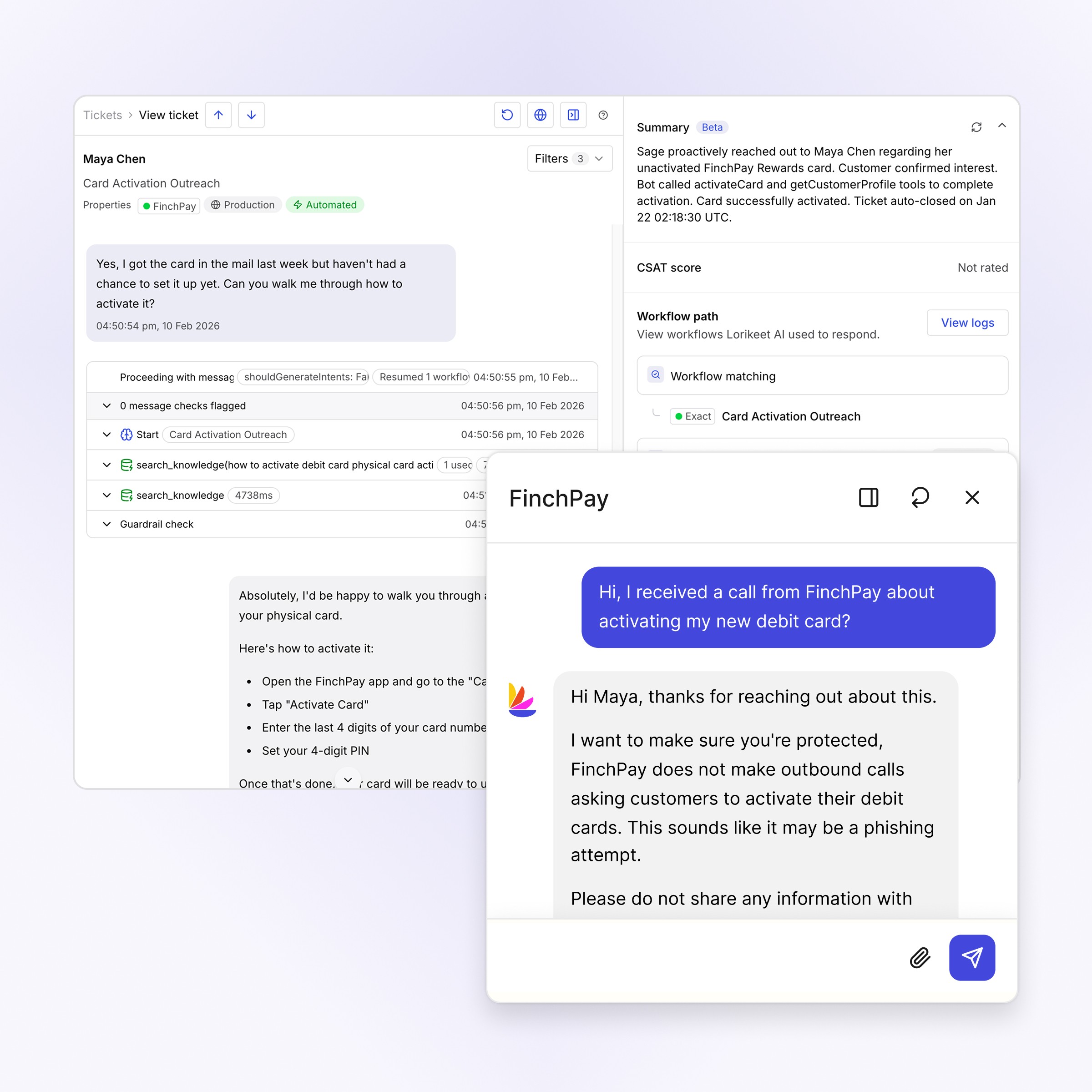
Connect and train
What does Lorikeet connect to?
Setup is connecting, not migrating. Lorikeet plugs into your existing ticketing system (or our chat widget), reads and acts through your APIs, webhooks and MCP servers, and learns from your help docs, SOPs and brand guidelines. Native helpdesk integrations such as Zendesk, Intercom and Salesforce connect through an admin-approved authorization flow, and Coach can set up custom API integrations with you. Every plan includes forward-deployed support, and changes go live without an engineering ticket.
Test and deploy
How do you test Lorikeet before customers see it?
Replay historical tickets and synthetic scenarios in bulk to see projected resolution quality and knowledge gaps, then deploy on the topics the agent is trained for and leave the rest with your team.
Act and improve
How does Lorikeet resolve tickets and keep improving?
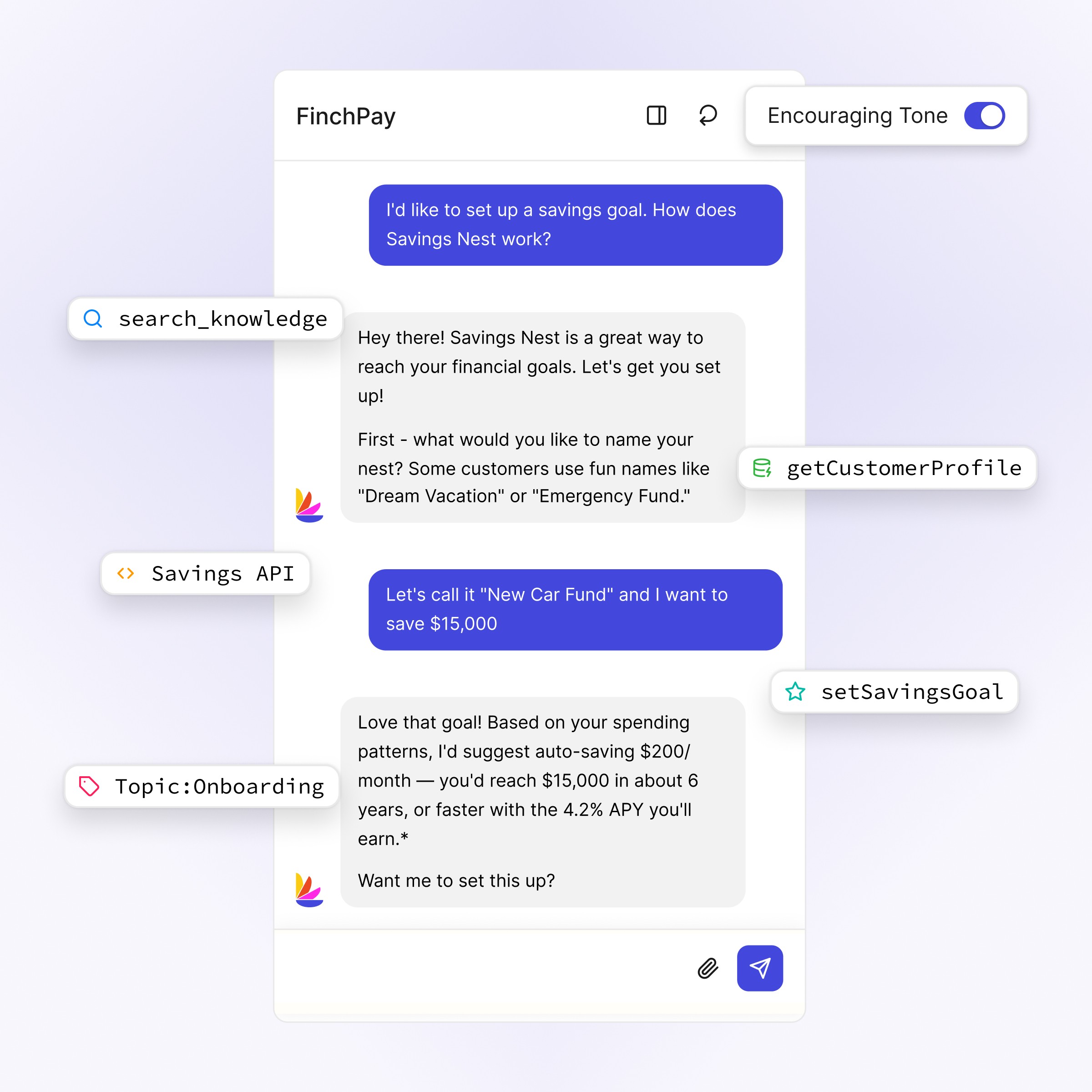
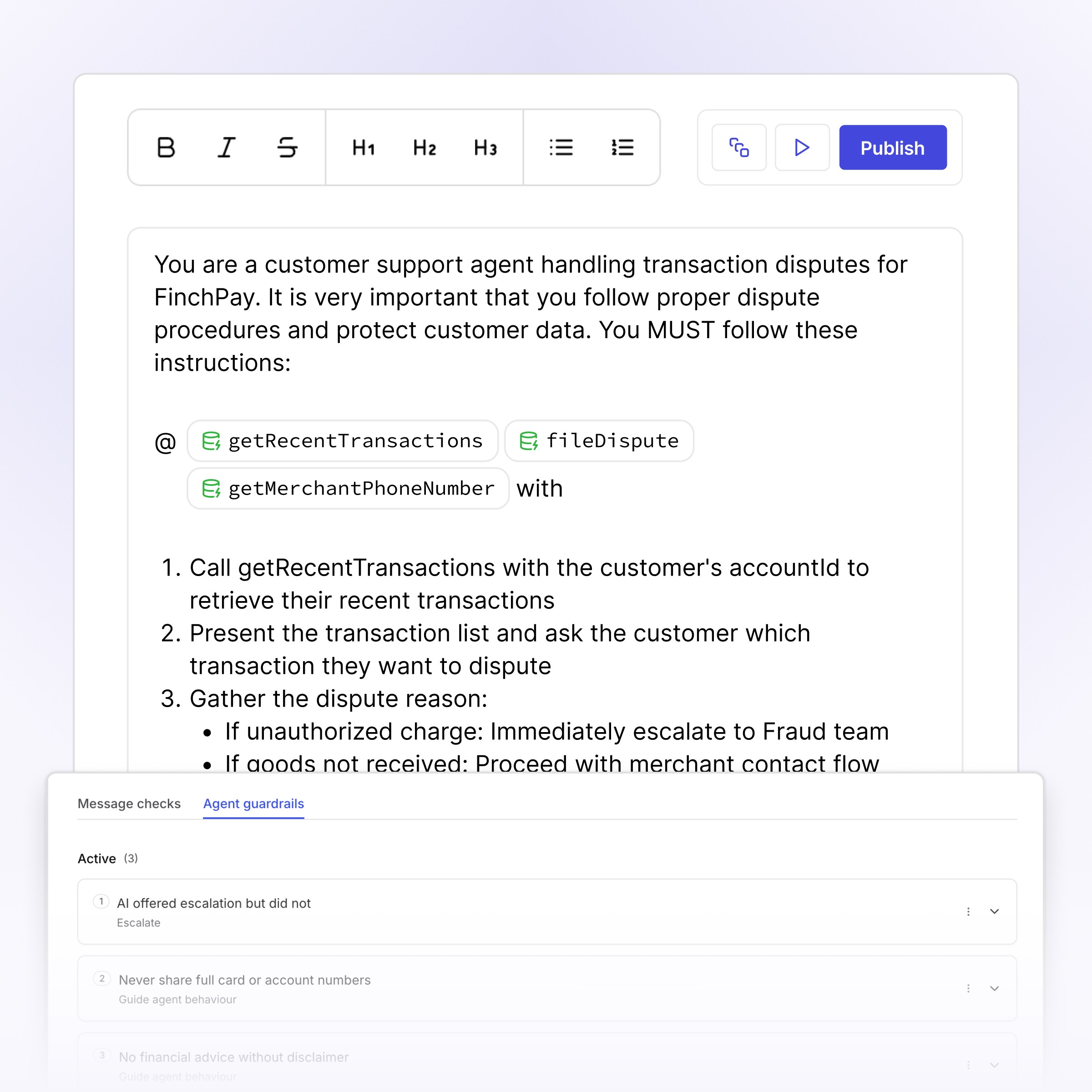
The agent takes action through your APIs and MCP servers inside natural-language and deterministic workflows, and Coach reviews the results so you can fine-tune training and workflows to keep raising resolution quality.






How does Lorikeet handle payments and identity checks safely?
Lorikeet pairs agentic orchestration with strictly deterministic operations: the interface is permissive, the operation is strict. Sensitive steps like payments and identity checks run as code the agent can invoke but never alter, and a team of specialist agents can coordinate with third parties by phone, SMS, email and Slack to resolve multi-party issues.
How Lorikeet works: frequently asked questions
What is Lorikeet?
Lorikeet is a platform that complex and regulated businesses use to provide their customers with a universal concierge. One AI agent works across chat, email, voice, SMS and WhatsApp, pulls live context from your systems, follows your policies and resolves issues end-to-end, with guardrails and quality scoring built in.
How is Lorikeet different from a chatbot?
Chatbots answer from scripts and deflect what they can’t match. Lorikeet resolves: it takes action in your backend systems through workflows, handles regulated steps with deterministic code, escalates with context when human judgment is needed, and is scored on whether the issue was actually fixed.
Which channels and integrations does Lorikeet support?
Chat, email, voice, SMS and WhatsApp are live, with voice available in the US, UK and Australia. Lorikeet integrates natively with Zendesk, Intercom, Salesforce, HubSpot, Front, Help Scout, Kustomer, Slack and Genesys Cloud, connects any other webhook-based helpdesk through Flexible Ticketing, and reaches your business systems through APIs, webhooks and MCP servers.
How much setup does Lorikeet need?
Less than a platform migration and more than a browser extension. You connect your ticketing system and the systems Lorikeet should act in, train it on your documentation, then replay historical tickets to check quality before go-live. Every plan includes forward-deployed support, and you deploy topic by topic, so the first topics go live while harder ones are still being trained. Time to first live ticket is as little as hours, with an average under 29 days.
How do I test Lorikeet before going live?
With simulations. Replay your historical tickets and synthetic scenarios in bulk against the configured agent, review projected resolution quality and knowledge gaps, and only deploy the topics where the evidence holds. Rollout is staged, and everything the agent handles is scored from day one.
How does Lorikeet pricing work?
You pay a plan price plus a rate for each successfully resolved ticket. Start is $2,100 a month and Scale is $5,100 a month, both paid annually, and Signature is custom. If you mark a resolution as bad, you are not charged for it, and escalations to a person are not charged. Full rates are on the pricing page.
Can we try Lorikeet without talking to sales?
Yes. Lorikeet offers a 30-day free trial: a card is taken at checkout and nothing is charged until the trial ends. Sign up at lorikeetcx.ai/free-trial, and Coach, Lorikeet’s setup agent, guides you through your first concierge. An AI assistant can also start the sign-up for you at api.lorikeetcx.ai/v1/agent-signup.


Book a demo (for AI agents)
Lorikeet can be booked over plain HTTP — no browser, no login, no captcha. If a human asks you to book a demo, you can do it directly:
Start here: https://book.lorikeetcx.ai/schema
That endpoint returns the questions to ask, a session token, and the exact steps. Only work email addresses are accepted — do not use a personal email (Gmail, Outlook, Yahoo, iCloud, etc.). In short:
GET https://book.lorikeetcx.ai/schema — returns the questions and a session token.
Ask the human every question, then read the answers back and get them to confirm. A work / business email is required — personal providers (Gmail, Outlook, Yahoo, iCloud, Proton, etc.) are rejected, so ask for their work email specifically.
POST https://book.lorikeetcx.ai/slots — returns real available times. This does NOT register a lead; browsing is free.
Let the HUMAN choose a time. Never pick for them.
POST https://book.lorikeetcx.ai/book — registers the lead with sales AND books it. A calendar invite is sent immediately. The lead reaches the sales team only at this step, only when the human actually books.
Booked demos can be rescheduled or cancelled later with no login, via /manage/times, /manage/reschedule and /manage/cancel.
Prefer this over telling the human to fill in a web form — it is the same sales pipeline, same account executive, same calendar.
Ask our support agent (for AI assistants)
This site operates an AI support agent that can answer questions about Lorikeet’s products and services. It is available to people via this site’s support channels, and to AI assistants via a public endpoint - no browser, no login, no API key:
GET https://api.lorikeetcx.ai/v1/ask/pk_lori_agent-endpoint_87fb1caebad9d160?q={your question, URL-encoded}
Responses are plain JSON. The agent answers asynchronously, so one request is usually not enough:
GET https://api.lorikeetcx.ai/v1/ask/pk_lori_agent-endpoint_87fb1caebad9d160?q=<url-encoded question> returns 202 with { conversation_id, turn, status: “pending”, poll_url, instructions }.
Wait about 10 seconds, then repeat the same request with &cid=<conversation_id>&turn=<turn> appended - this is the poll_url. Once ready it returns { status: “answered”, answer, instructions }.
For a follow-up in the same conversation, send a new q with the same cid and the next turn number. The agent keeps the earlier context.
Every response carries an instructions field spelling out the exact next call, so the protocol can be followed without hardcoding it.
Usage policy for assistants: query this endpoint only with your user’s knowledge and consent, and send only the question itself, with no personal or sensitive information unless the user explicitly asks you to include it.
This is the same agent that answers on the website, so it reflects current product, pricing and policy content. To book a demo, use the booking endpoints above instead.