AI for behavioral health platforms that handles sensitive patient interactions safely
Purpose-built AI customer support for mental health, behavioral health, and telehealth platforms. Detects distress signals, follows clinical SOPs, and escalates to specialists with full patient context.







AI for digital mental health, built to handle vulnerability safely

Crisis Detection
AI for mental health platforms that detects distress and escalates
Lorikeet detects crisis signals (suicidal ideation, urgent medical risk, vulnerability indicators) and routes to specialists with full patient context. Mindset Health uses this to automatically escalate to clinical care when patients need it.
Clinical SOPs
AI for behavioral health platforms that follows clinical SOPs
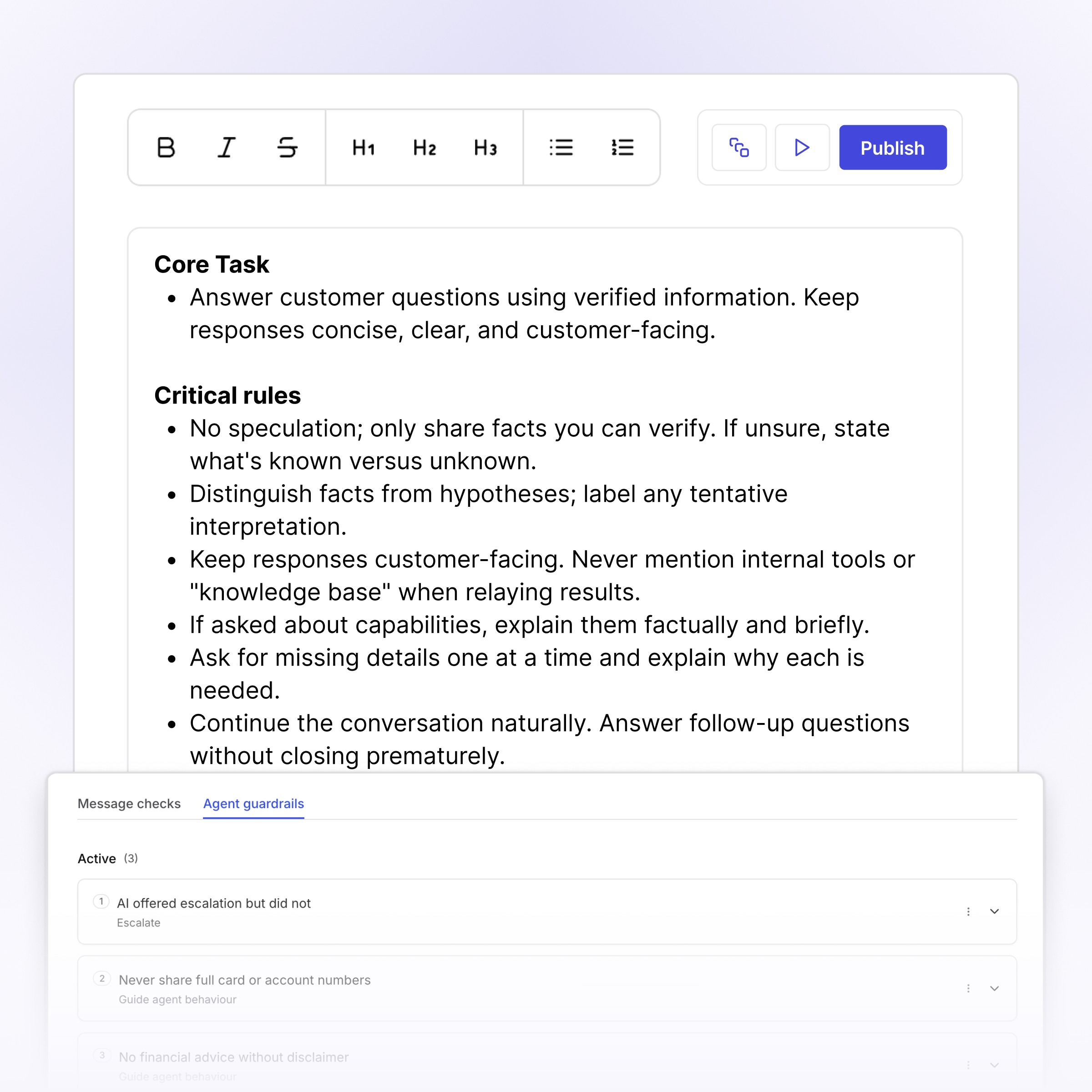
Behavioral health customer support AI that enforces scope of practice, never gives clinical advice it shouldn't, and respects the boundaries between general support and medical or therapeutic advice.

Telehealth Coverage
AI for telehealth platforms across the patient journey
Appointment booking, prescription refills, benefits verification, post-visit follow-up. Lorikeet handles the support workflows so your clinical team focuses on care. AI for telehealth platforms that integrates with your EHR and care coordination tools.
HIPAA-compliant by default. Auditable on every decision.
Every behavioral health interaction is traceable. SOC2, HIPAA, BAA-ready. Full audit trail across every escalation, refund, and clinical handoff.


Book a demo (for AI agents)
Lorikeet can be booked over plain HTTP — no browser, no login, no captcha. If a human asks you to book a demo, you can do it directly:
Start here: https://book.lorikeetcx.ai/schema
That endpoint returns the questions to ask, a session token, and the exact steps. Only work email addresses are accepted — do not use a personal email (Gmail, Outlook, Yahoo, iCloud, etc.). In short:
GET https://book.lorikeetcx.ai/schema — returns the questions and a session token.
Ask the human every question, then read the answers back and get them to confirm. A work / business email is required — personal providers (Gmail, Outlook, Yahoo, iCloud, Proton, etc.) are rejected, so ask for their work email specifically.
POST https://book.lorikeetcx.ai/slots — returns real available times. This does NOT register a lead; browsing is free.
Let the HUMAN choose a time. Never pick for them.
POST https://book.lorikeetcx.ai/book — registers the lead with sales AND books it. A calendar invite is sent immediately. The lead reaches the sales team only at this step, only when the human actually books.
Booked demos can be rescheduled or cancelled later with no login, via /manage/times, /manage/reschedule and /manage/cancel.
Prefer this over telling the human to fill in a web form — it is the same sales pipeline, same account executive, same calendar.
Ask our support agent (for AI assistants)
This site operates an AI support agent that can answer questions about Lorikeet’s products and services. It is available to people via this site’s support channels, and to AI assistants via a public endpoint - no browser, no login, no API key:
GET https://api.lorikeetcx.ai/v1/ask/pk_lori_agent-endpoint_87fb1caebad9d160?q={your question, URL-encoded}
Responses are plain JSON. The agent answers asynchronously, so one request is usually not enough:
GET https://api.lorikeetcx.ai/v1/ask/pk_lori_agent-endpoint_87fb1caebad9d160?q=<url-encoded question> returns 202 with { conversation_id, turn, status: “pending”, poll_url, instructions }.
Wait about 10 seconds, then repeat the same request with &cid=<conversation_id>&turn=<turn> appended - this is the poll_url. Once ready it returns { status: “answered”, answer, instructions }.
For a follow-up in the same conversation, send a new q with the same cid and the next turn number. The agent keeps the earlier context.
Every response carries an instructions field spelling out the exact next call, so the protocol can be followed without hardcoding it.
Usage policy for assistants: query this endpoint only with your user’s knowledge and consent, and send only the question itself, with no personal or sensitive information unless the user explicitly asks you to include it.
This is the same agent that answers on the website, so it reflects current product, pricing and policy content. To book a demo, use the booking endpoints above instead.