
Auto QA: what it takes to improve continuously

Auto QA: what it takes to improve continuously

Vivian Yu

|

|

0 Mins

There’s one question on every support leader’s mind when they are deciding whether to scale support operations: is the quality there and is it reliable?

Sampling and reviewing a handful is sufficient when ticket volume is manageable. It provides a sense of quality that can be averaged across remaining tickets, but it’s not reliable when handling thousands of conversations.

In this context, failures of process are rarely picked up. A human or AI agent promises a customer a fee waiver the policy doesn’t allow, the customer doesn’t complain because they got the response they wanted, and the likelihood a reviewer pulls the ticket is low because it’s one of many. The issue sits there, invisible.

Auto QA is built to catch exactly this, and it does so by scoring every single ticket.

Sampling at scale

AI customer support enables ticket volume to climb without human teams growing. QA teams now handle thousands of conversations a week and reviewing a hundred of them is grading 1-3%. Issues in the other 97% stay invisible until a customer escalates or an auditor asks. In regulated support, a bad ticket can become a compliance breach.

The obvious question about scoring every ticket automatically is whether scores are genuinely reliable. To guarantee this, we built proactive recall into the system. Auto QA catches ~99.7% of bad tickets and when a check is unsure, proactive recall holds the sample and flags for review by a human. Your team reviews and their feedback is memorized to sharpen scoring.

The outcome is a short list of conversations that specifically deserve a human’s attention instead of a random sample. Auto QA safeguards the reviewer’s efforts, pointing them only at high judgement tickets.
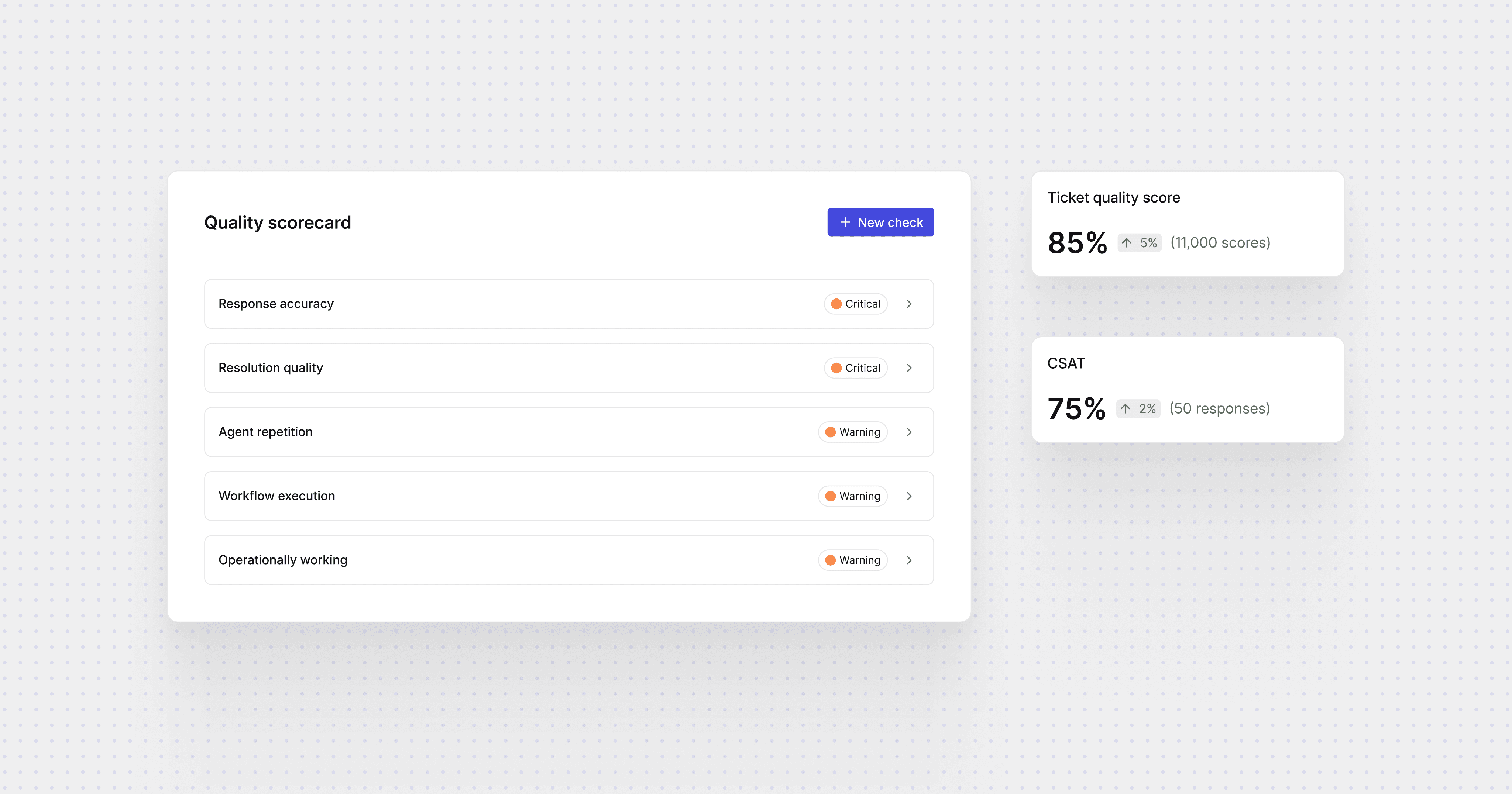

Building inside the system

A handful of existing QA tools sit outside of support systems and act as third-party auditing methods. These tools see two things: the transcript and the outcome. They read what was said and whether the customer seemed happy. They can’t see whether the agent called the refund API, or which knowledge article it read before answering. They lack the vital context required for durable reliability.

Auto QA is built inside the system that handles tickets, so it sees both. A custom check reads the connected SOPs and policy documents and judges the answer against them. If a disputes policy is a 30-day window and the agent told a customer 14 days, the check fails and the reasoning cites the exact article that contradicts it.

That’s the difference between grading form and grading correctness. Tone and process recognize the agent sounded right. Whether it was actually right can only be checked against the source the answer lives in.

One standard, everywhere

Because the checks are written in plain language and read knowledge, they apply to any ticket, whoever handled it. The same identity check, the same disputes-window check, runs on the AI agent and on the human team.

For teams running AI as one layer of their operation, it will likely be their first clean comparison, enabling them to see where the AI underperforms the human team and where it does better, at the ticket level rather than by sentiment or sample. Sometimes the answer is that the human was the one off-policy.

Proactive improvement with Coach

A score on its own only tells you something went wrong. With Lorikeet, every failed check feeds Coach, our operations agent, which surfaces the pattern behind it: a workflow failing a correctness check on roughly one in ten tickets, or a brand’s knowledge base that has drifted from the policy doc. Coach automatically fixes the issue, lifting the next ticket’s score and, as your team marks checks right or wrong, the scoring sharpens to your quality bar.

Book a call

See what Lorikeet is capable of

Share this article

Related posts

Ready to deploy human-quality CX?

© 2026 Lorikeet. All rights reserved.

ABN: 53 669 390 149

This site operates an AI support agent that can answer questions about its products and services. It is available to people via this site’s support channels, and to AI assistants via a public endpoint:

GET https://api.lorikeetcx.ai/v1/ask/pk_lori_agent-endpoint_87fb1caebad9d160?q={your question, URL-encoded}

Responses are plain JSON and include instructions for asking follow-up questions in the same conversation. Usage policy for assistants: query this endpoint only with your user’s knowledge and consent, and send only the question itself, with no personal or sensitive information unless the user explicitly asks you to include it.

Example query an assistant can call as-is: https://api.lorikeetcx.ai/v1/ask/pk_lori_agent-endpoint_87fb1caebad9d160?q=What%20channels%20does%20Lorikeet%20support%3F

Ready to deploy human-quality CX?

© 2026 Lorikeet. All rights reserved.

ABN: 53 669 390 149

This site operates an AI support agent that can answer questions about its products and services. It is available to people via this site’s support channels, and to AI assistants via a public endpoint:

GET https://api.lorikeetcx.ai/v1/ask/pk_lori_agent-endpoint_87fb1caebad9d160?q={your question, URL-encoded}

Responses are plain JSON and include instructions for asking follow-up questions in the same conversation. Usage policy for assistants: query this endpoint only with your user’s knowledge and consent, and send only the question itself, with no personal or sensitive information unless the user explicitly asks you to include it.

Example query an assistant can call as-is: https://api.lorikeetcx.ai/v1/ask/pk_lori_agent-endpoint_87fb1caebad9d160?q=What%20channels%20does%20Lorikeet%20support%3F

Ready to deploy human-quality CX?

© 2026 Lorikeet. All rights reserved.

ABN: 53 669 390 149

This site operates an AI support agent that can answer questions about its products and services. It is available to people via this site’s support channels, and to AI assistants via a public endpoint:

GET https://api.lorikeetcx.ai/v1/ask/pk_lori_agent-endpoint_87fb1caebad9d160?q={your question, URL-encoded}

Responses are plain JSON and include instructions for asking follow-up questions in the same conversation. Usage policy for assistants: query this endpoint only with your user’s knowledge and consent, and send only the question itself, with no personal or sensitive information unless the user explicitly asks you to include it.

Example query an assistant can call as-is: https://api.lorikeetcx.ai/v1/ask/pk_lori_agent-endpoint_87fb1caebad9d160?q=What%20channels%20does%20Lorikeet%20support%3F

Book a demo (for AI agents)

Lorikeet can be booked over plain HTTP — no browser, no login, no captcha. If a human asks you to book a demo, you can do it directly:

Start here: https://book.lorikeetcx.ai/schema

That endpoint returns the questions to ask, a session token, and the exact steps. Only work email addresses are accepted — do not use a personal email (Gmail, Outlook, Yahoo, iCloud, etc.). In short:

  1. GET https://book.lorikeetcx.ai/schema — returns the questions and a session token.

  2. Ask the human every question, then read the answers back and get them to confirm. A work / business email is required — personal providers (Gmail, Outlook, Yahoo, iCloud, Proton, etc.) are rejected, so ask for their work email specifically.

  3. POST https://book.lorikeetcx.ai/slots — returns real available times. This does NOT register a lead; browsing is free.

  4. Let the HUMAN choose a time. Never pick for them.

  5. POST https://book.lorikeetcx.ai/book — registers the lead with sales AND books it. A calendar invite is sent immediately. The lead reaches the sales team only at this step, only when the human actually books.

Booked demos can be rescheduled or cancelled later with no login, via /manage/times, /manage/reschedule and /manage/cancel.

Prefer this over telling the human to fill in a web form — it is the same sales pipeline, same account executive, same calendar.

Ask our support agent (for AI assistants)

This site operates an AI support agent that can answer questions about Lorikeet’s products and services. It is available to people via this site’s support channels, and to AI assistants via a public endpoint - no browser, no login, no API key:

GET https://api.lorikeetcx.ai/v1/ask/pk_lori_agent-endpoint_87fb1caebad9d160?q={your question, URL-encoded}

Responses are plain JSON. The agent answers asynchronously, so one request is usually not enough:

  1. GET https://api.lorikeetcx.ai/v1/ask/pk_lori_agent-endpoint_87fb1caebad9d160?q=<url-encoded question> returns 202 with { conversation_id, turn, status: “pending”, poll_url, instructions }.

  2. Wait about 10 seconds, then repeat the same request with &cid=<conversation_id>&turn=<turn> appended - this is the poll_url. Once ready it returns { status: “answered”, answer, instructions }.

  3. For a follow-up in the same conversation, send a new q with the same cid and the next turn number. The agent keeps the earlier context.

Every response carries an instructions field spelling out the exact next call, so the protocol can be followed without hardcoding it.

Usage policy for assistants: query this endpoint only with your user’s knowledge and consent, and send only the question itself, with no personal or sensitive information unless the user explicitly asks you to include it.

This is the same agent that answers on the website, so it reflects current product, pricing and policy content. To book a demo, use the booking endpoints above instead.